
Desk Setup Tips for Focus and Comfort: Create Your Ideal Workspace
qiwalao.pro >> Desk Setup>>Workspace>> Desk Setup Tips for Focus and Comfort: Create Your Ideal Workspace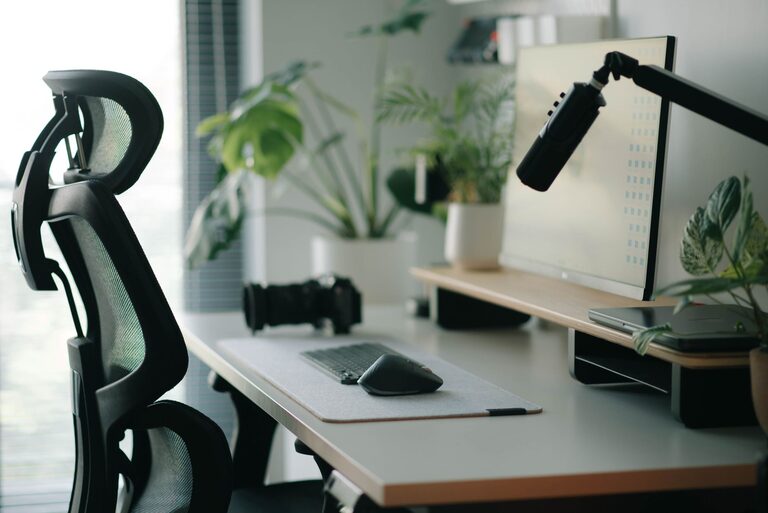
Desk Setup Tips for Focus and Comfort: Create Your Ideal Workspace
Creating a workspace that supports both focus and comfort is essential for anyone who spends hours at a desk. Whether you work from home, study, or enjoy creative hobbies, your desk setup can significantly impact your productivity and well-being. In this post, we’ll explore practical tips to help you design an efficient, comfortable desk area tailored to your needs.
Why Desk Setup Matters
A well-arranged desk can reduce physical strain, minimize distractions, and encourage a productive mindset. On the other hand, an uncomfortable or cluttered workspace may lead to discomfort, fatigue, and difficulty concentrating. Paying attention to your desk setup is a simple step that can benefit your health and performance.
Choosing the Right Desk and Chair
Select Your Desk Based on Space and Function
When choosing a desk, consider its size in relation to your room and the type of tasks you perform most. If you use multiple monitors, sketch, or write extensively, a larger desk will serve you better. For smaller spaces, compact desks with smart storage solutions can maximize usability.
Invest in an Ergonomic Chair
Comfort starts with your chair. Look for one that supports your lower back, encourages good posture, and allows adjustable height to fit your desk. A chair with adjustable armrests and a breathable fabric or mesh back can add to comfort during long hours.
Position Your Desk Properly
Find the Best Spot for Natural Light
Positioning your desk near a window can give you natural light, which improves mood and reduces eye strain. However, avoid direct glare on your computer screen by using curtains or blinds if needed.
Keep Distractions to a Minimum
Choose a quiet corner or use room dividers to reduce background noise and visual distractions. Facing away from busy areas or clutter can help keep your mind focused.
Optimize Your Desk Layout
Keep Essentials Within Reach
Organize your desk so that frequently used items like your keyboard, mouse, phone, and notebook are within easy reach. This cuts down on unnecessary movement and keeps your workflow smooth.
Declutter Regularly
A clutter-free desk promotes mental clarity. Remove unnecessary papers, gadgets, or knickknacks. Use trays, holders, or boxes to keep small items organized.
Add Personal Touches Wisely
Personal items like photos or inspirational quotes can make your workspace more inviting, but keep these minimal to avoid distraction.
Ergonomics: Positioning for Comfort
Achieve the Right Monitor Height
Place your monitor so the top is at or slightly below eye level. This angle prevents neck strain. The screen should be about an arm’s length away.
Maintain Proper Posture
Sit with your feet flat on the floor, knees at a 90-degree angle, and back supported by your chair. Keep your wrists straight while typing to prevent strain.
Use an External Keyboard and Mouse
If you use a laptop, consider adding an external keyboard and mouse, which allow better positioning and prevent hunching over your device.
Lighting Tips for Productivity
Combine Ambient and Task Lighting
General room light is important, but adding a desk lamp focused on your work can reduce eye strain and improve focus. Choose lighting that is bright but not harsh.
Avoid Screen Glare
Use adjustable shades or reposition lights to avoid reflections on your screen. Matte screen protectors can also help.
Manage Cables and Electronics
Use Cable Organizers
Tangled cables are both an eyesore and a hazard. Use clips, sleeves, or under-desk trays to keep cords tidy and out of the way.
Charge Devices Conveniently
Place chargers or docking stations within reach to keep devices powered and reduce clutter.
Incorporate Break and Movement Reminders
Set Timers
Regular breaks improve focus and prevent fatigue. Use apps or timers to remind you to stand, stretch, or take a short walk.
Add a Standing Option
If possible, use a sit-stand desk or a desk converter to alternate between sitting and standing throughout the day.
Add Comfort and Inspiration
Use Comfortable Accessories
A soft wrist rest, footrest, or cushion can add comfort. Consider a plant or artwork to make the space inviting.
Control Temperature and Air Quality
Keep your workspace well-ventilated and at a comfortable temperature to avoid discomfort.
Final Thoughts
Creating a desk setup that promotes focus and comfort is a valuable investment in your productivity and health. By thoughtfully arranging your furniture, optimizing ergonomics, managing lighting, and keeping your space organized, you can enjoy a workspace that supports your best work every day. Start small—adjust one or two things—and notice the difference in how you feel and perform.